
Your books, read aloud.
LuceVoce turns the ebooks, PDFs and documents you already have into something you can listen to: a natural voice reads, and each word lights up as it's spoken. It works offline, there's no account to make, and it runs on Windows, Mac, iPad and iPhone.
Coming soon to the Microsoft Store, the Mac App Store and the App Store. Free to download and try with your own books, then one purchase keeps it reading. No subscription.
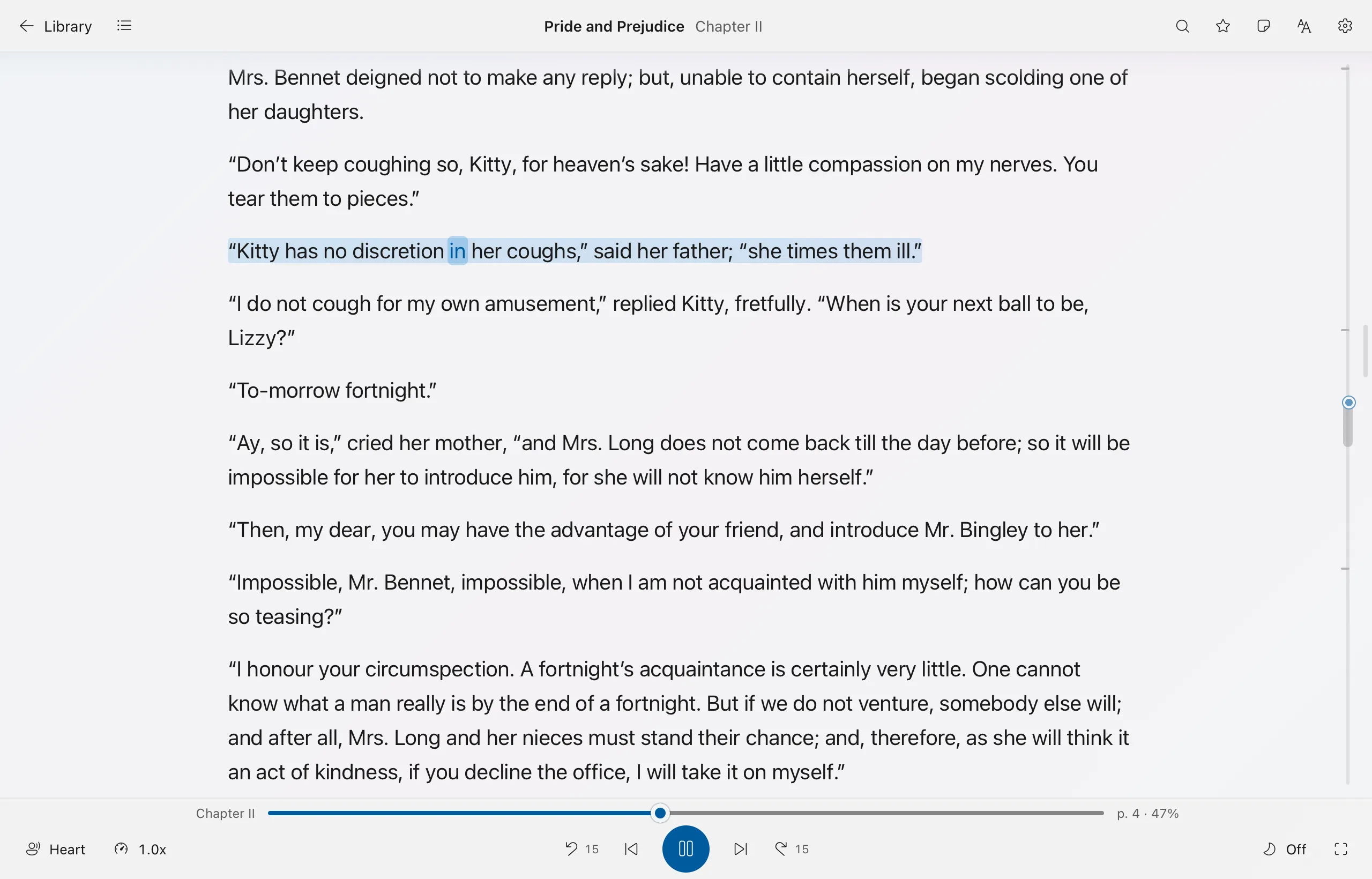
Reading for people who don't have time to sit down
The hours you spend driving, walking or cooking are hours you could be getting through a book. Here's one day with the same book on three devices.
-
Chapter two instead of the radio
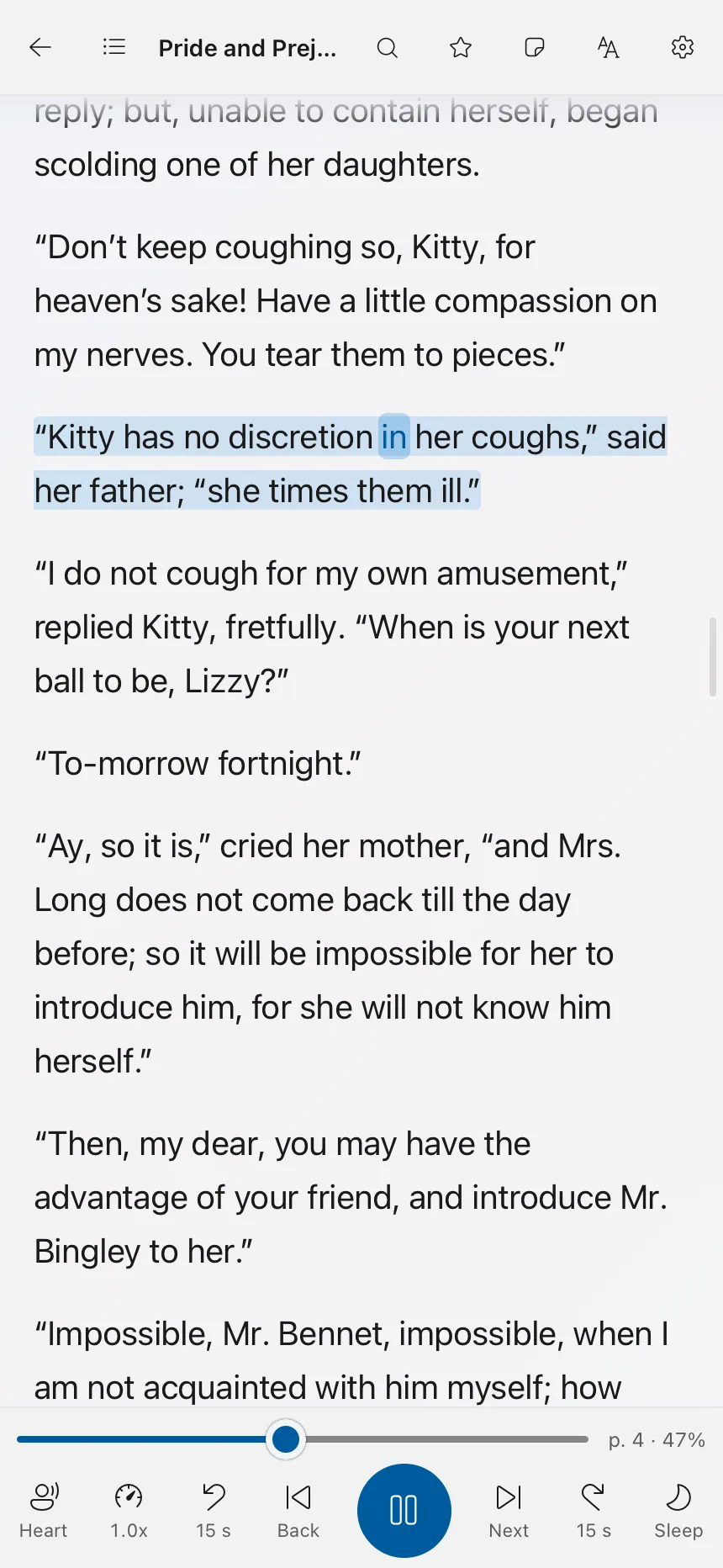
Stuck in traffic, you press play on your iPhone and lock the screen. LuceVoce keeps reading, and the lock screen, your headphones and your car can pause and skip. The big buttons react to a quick press, even in a moving car.
iPhone
-
Lunch break, eyes on the page
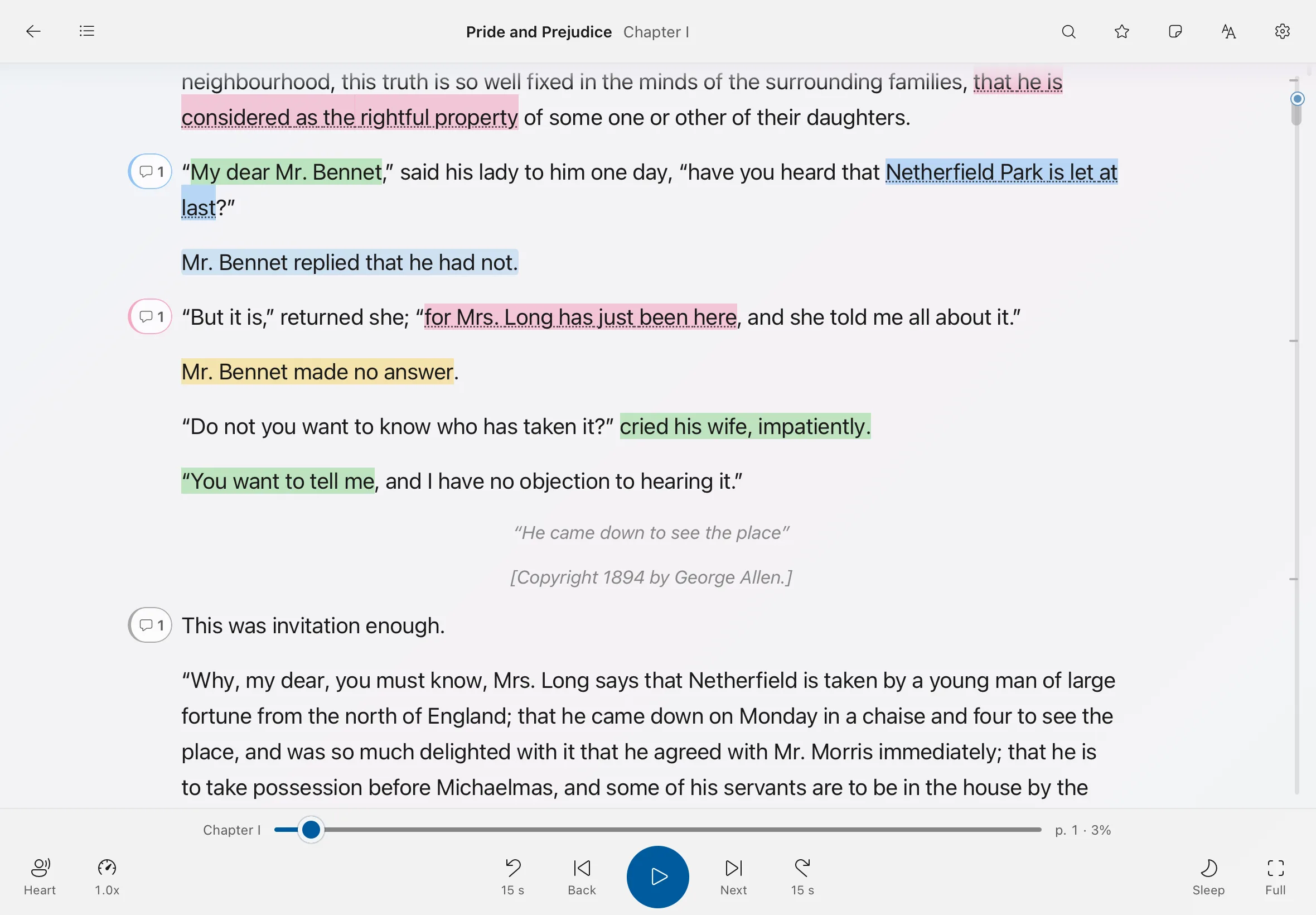
On the iPad the voice picks up where it stopped and you read along: the sentence is tinted, the word glows. A line worth keeping gets a yellow highlight and a note under it.
iPad
-
At your desk, same sentence
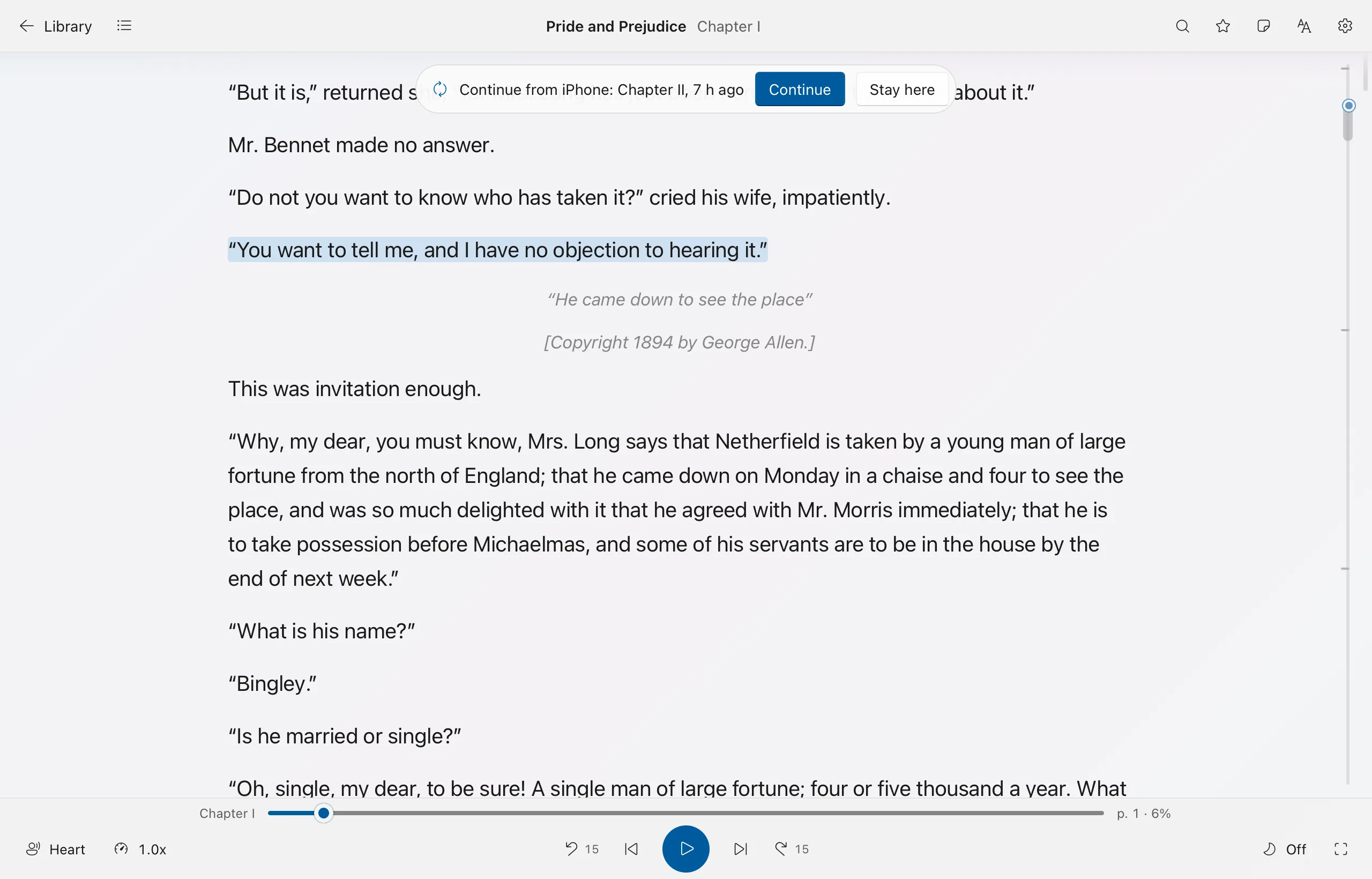
Open the book on your Mac and it offers to continue from your iPhone. Your place, highlights, notes and bookmarks travel through a cloud folder you already have: iCloud Drive, OneDrive, Dropbox, Google Drive or Box. LuceVoce has no account and no server of its own.
Mac or Windows PC
-
Lights off, end of the chapter
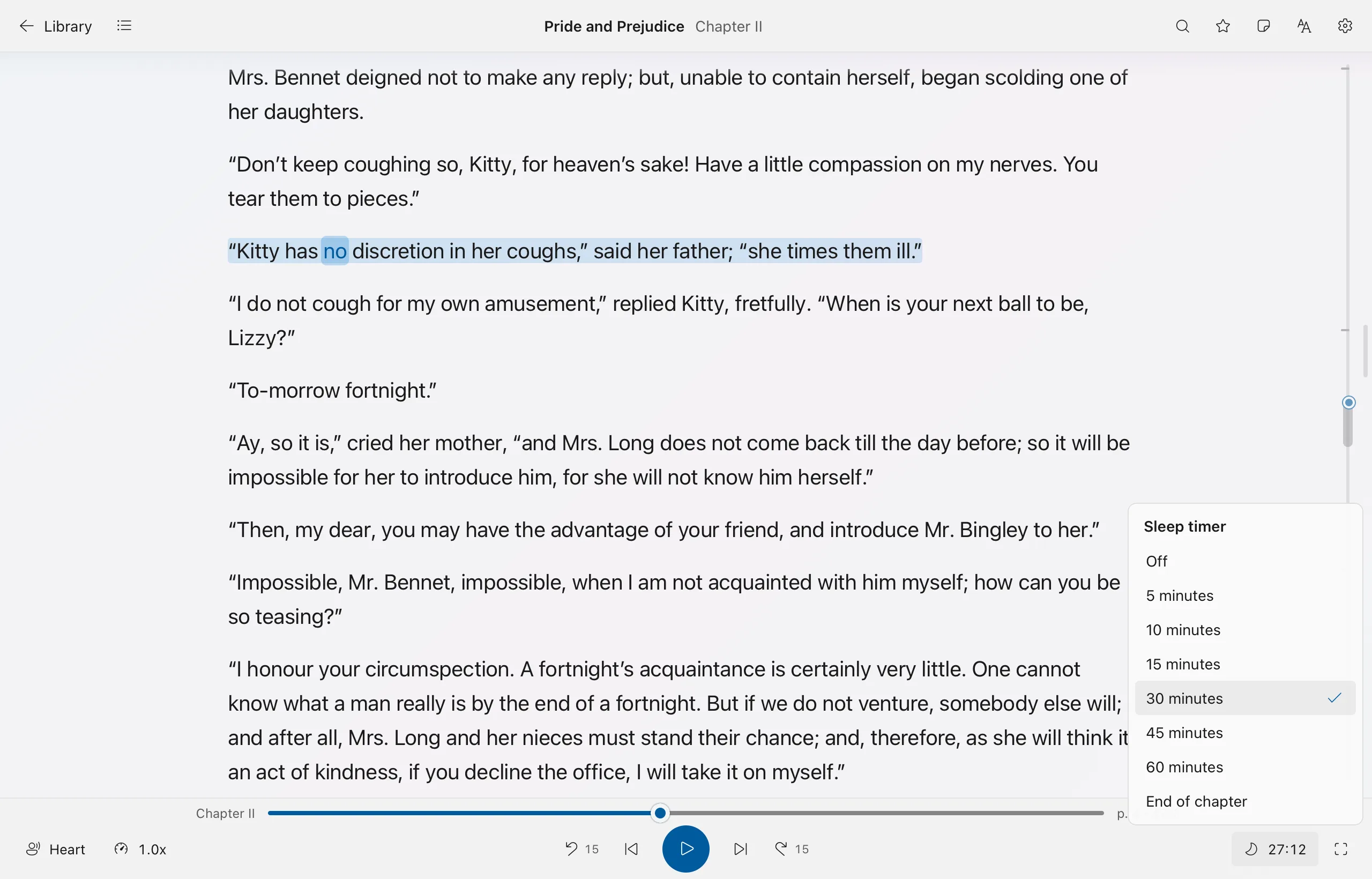
Set the sleep timer for 5 to 60 minutes or for the end of the chapter, and the voice stops there. Tomorrow's commute starts at the next sentence, or with the next book in your queue.
Any device
It reads what you already have
No conversions and no new store to buy from. Add files or point it at a folder, and it sorts the books by author and series.
- EPUBChapters, headings and footnotes kept
- PDFTidied into readable text, or shown as the real pages with the word lit; scanned pages read with text recognition
- WordDOCX and the older DOC
- Kindle MOBI, AZW3, PRCDRM-free files only: most Kindle Store purchases are locked and won't open
- FB2 and FBZFictionBook, with series
- PowerPointEach slide, then its speaker notes
- RTF and ODTHeadings, lists and tables
- Web pages and articlesHTML, MHTML and calibre HTMLZ, or paste a web address and keep just the article
- Markdown and textOr anything you copied, from the clipboard
- AudiobooksMP3, M4B, M4A and AAC, with their chapters, cover and narrator
Books locked with DRM (Kindle, Apple Books, Kobo, Adobe, Audible) are recognised and refused with a plain explanation. LuceVoce never tries to get around the lock. Every format in detail
No books yet? Thousands are free
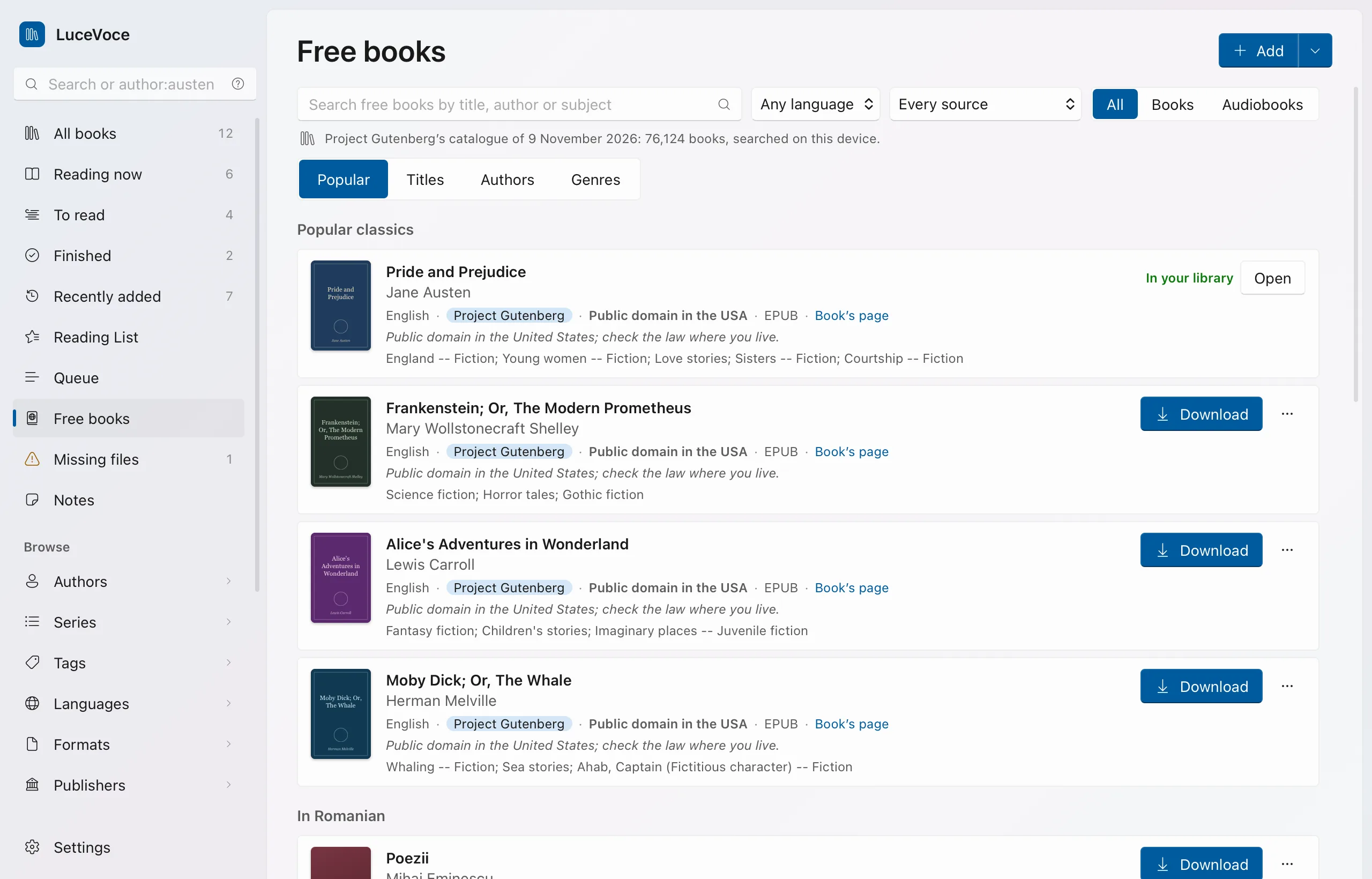
Free books, inside the app, searches the great free libraries at once and puts what you pick straight into your library.
- Project GutenbergAbout 78,000 classics in 60 languages, to browse by title, author or genre
- LibriVoxAudiobooks of those classics, read by volunteers
- WikisourceTexts in every language
- unglue.it and the Open Textbook LibraryBooks and textbooks under open licences
Each book shows its licence and size. Most are in the public domain in the United States; the law where you live may differ, and each book says so. Getting free books
A voice you can listen to for an hour
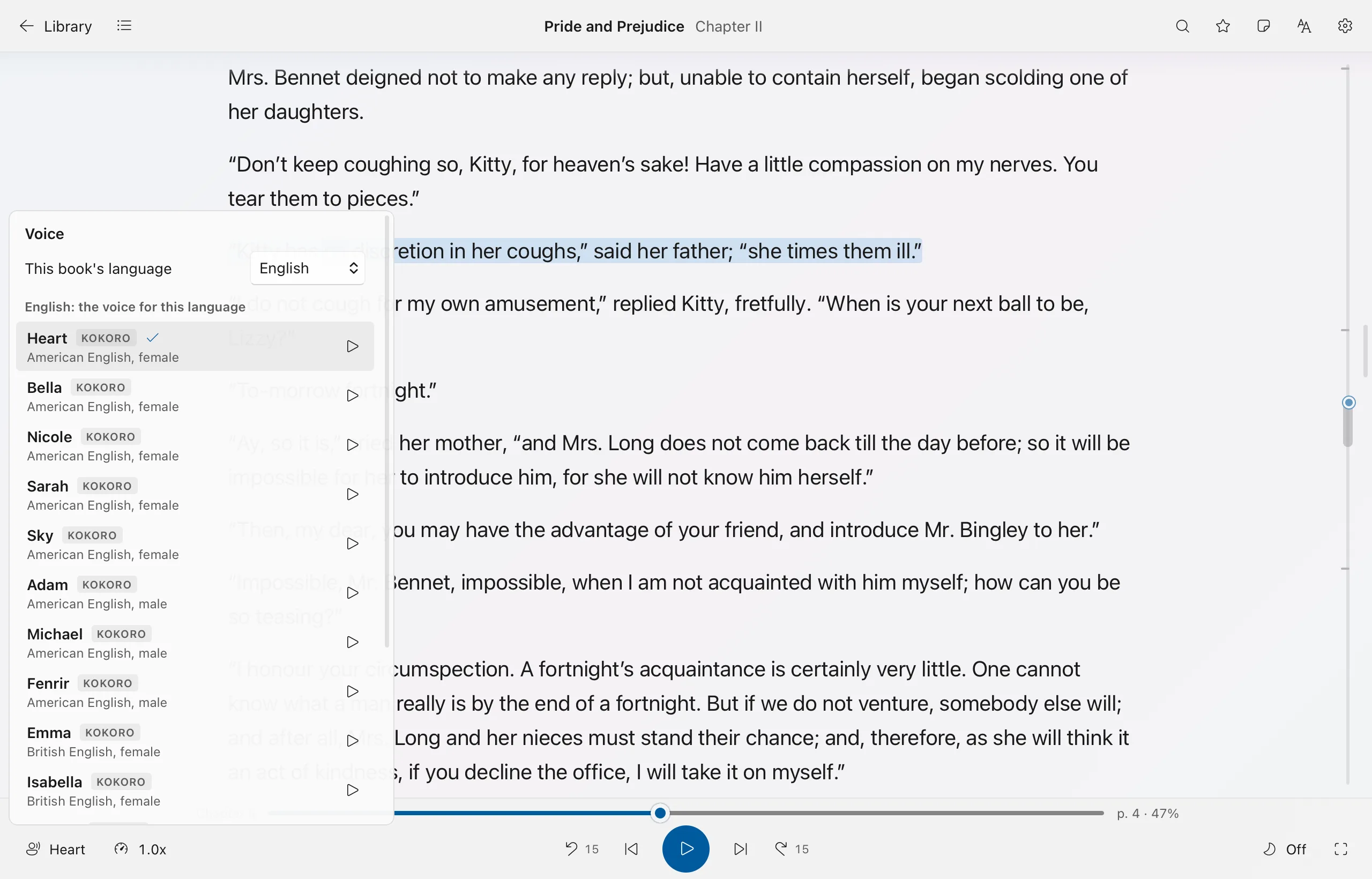
The natural voices, called Kokoro, breathe and pause where a reader would, and their tone follows the sentence. They come as one download the first time you ask for them (about 410 MB on the Mac, iPhone and iPad, about 340 MB on Windows), and then run on your own device for good, in a tunnel or on a plane. On Apple devices they run on the Neural Engine, which is faster and gentle on the battery.
- 54 natural voices in English (American and British), French, Spanish, Italian, Portuguese, Hindi, Japanese and Chinese.
- Your device's own voices too, for every other language it speaks, with the word light kept in step.
- A voice per book or per language, so a French book reads in French without asking, and a French reply inside an English novel is read by your French voice.
- More natural voices for French, Italian and Spanish from the Piper collection, one download each.
- Half speed to three times as fast, without the voice going high, and your own rules for names it says wrong.
- Voice commands, if you turn them on: say "pause", "next chapter" or "where am I", in English or French, heard on your device only.
Text that suits your eyes
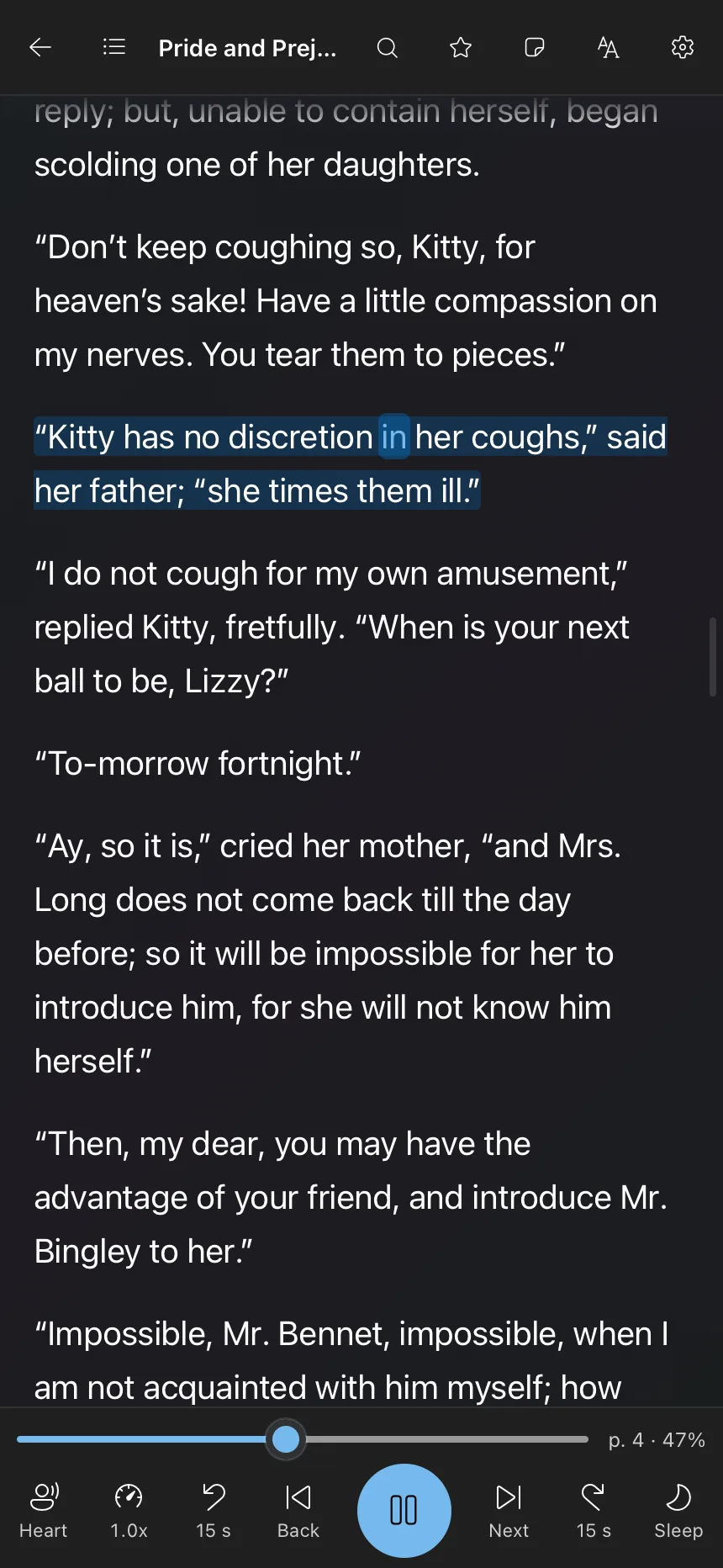
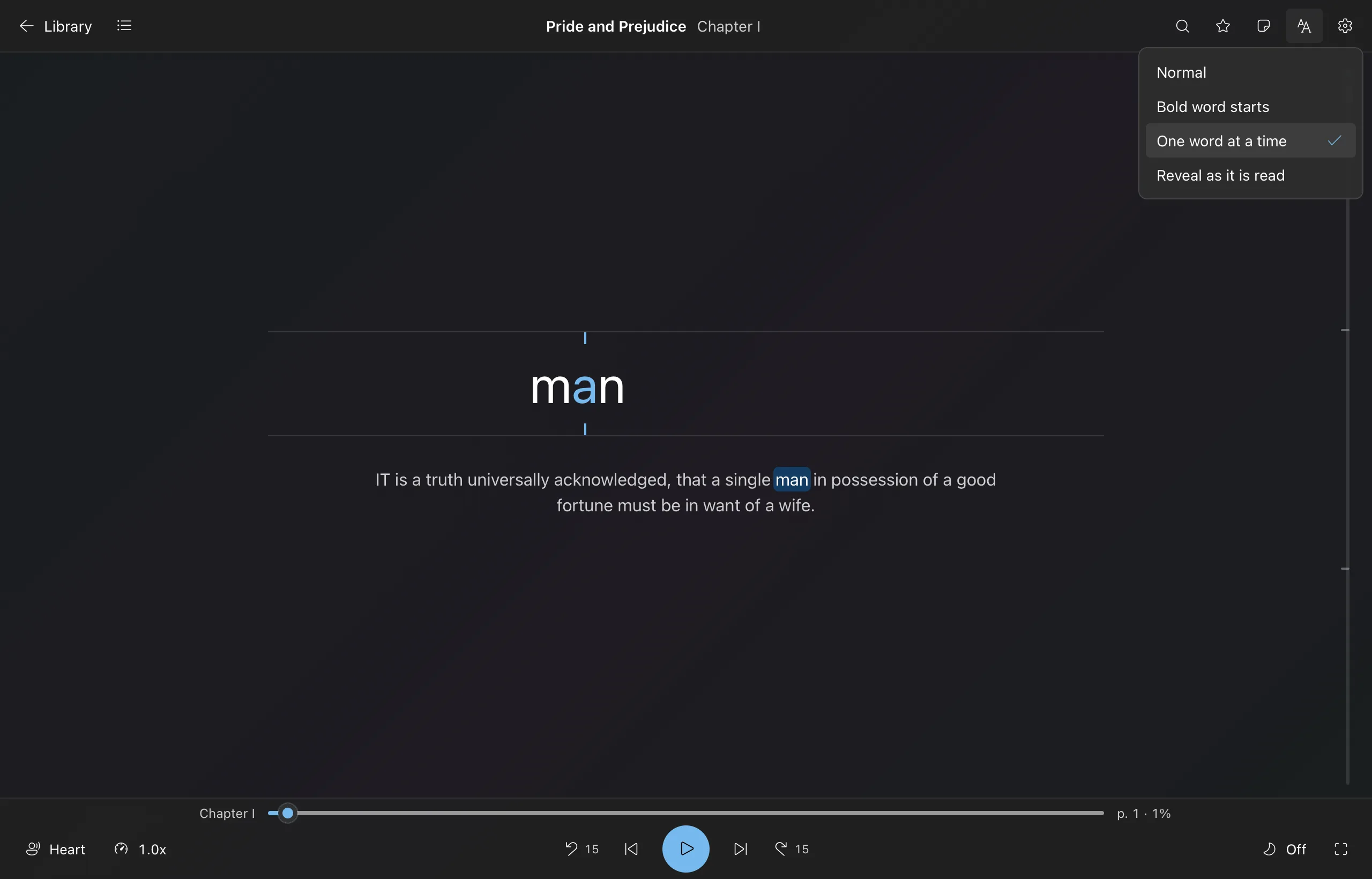
Choose the font, size, spacing and line length, light or dark. Two fonts made for people who find reading harder come with it: OpenDyslexic and Atkinson Hyperlegible. Then pick how the text behaves while it's read.
- NormalThe sentence tinted, the spoken word lit
- Bold word startsThe first letters of each word in bold, to guide the eye
- One word at a timeA single large word in the middle of the screen, in step with the voice
- Reveal as it is readThe text ahead stays dim and brightens as the voice reaches it
Tables are read row by row the way a person would read them, footnote numbers are skipped so the sentence flows, and a tap on one reads the note. Reading modes
When it's for a course, not the commute
Listening helps you get through the reading list. These help you hand something in.
- A definition on click, from a full English dictionary of 136,000 words, with dictionaries for other languages if you add them.
- Translation on your device, of a word in its sentence or a whole passage, between English and French, Spanish, Italian, German or Romanian. Nothing you read is sent anywhere.
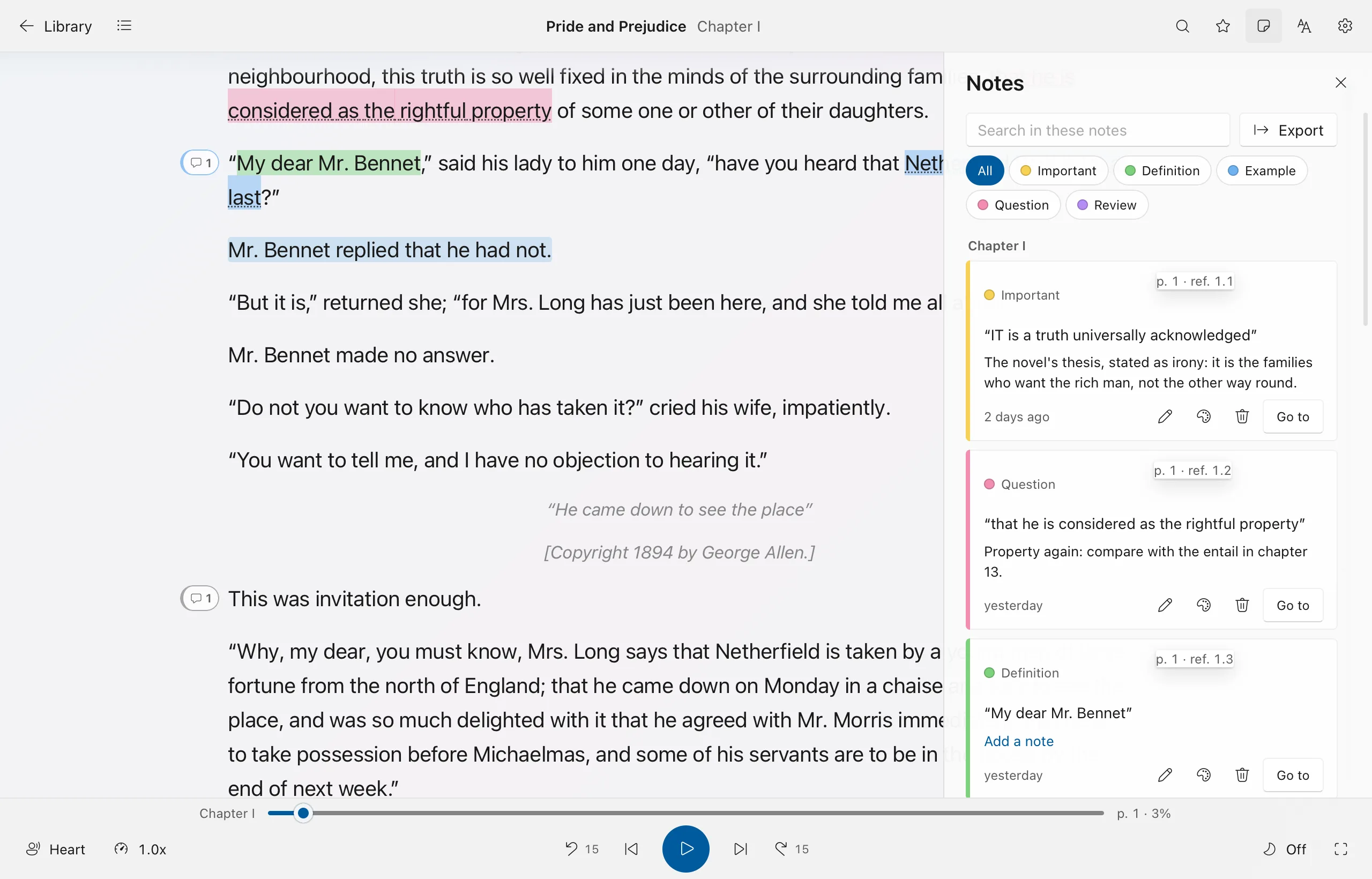
- Highlights in five colours you name, such as yellow for "important" and green for "definition", and a note on any passage.
- Voice notes: say a thought instead of typing it, and LuceVoce writes it down on your device.
- Every note in one place, searchable across all your books, each one a click away from its page.
- Exports to Markdown for Obsidian or Notion, Word, PDF, text, CSV, JSON, BibTeX and Anki flashcards.
- Citations in APA, MLA, Chicago or BibTeX, with the page each quote came from.
- Your Kindle and calibre notes brought in, each on its book.
Nothing to sign up for
Works offline
Reading aloud, translation, text recognition and the dictionary all happen on your device. It goes online only when you ask, for a download or a free book.
No account
Open it and start reading. There's no login, no email and no profile.
No adverts, no tracking
No analytics or advertising inside the app, and none on this website.
Your cloud, if you want one
Sync is off until you pick a folder you already use. Privacy in full
One app for the devices you have
The same library, the same voices and the same controls on each, laid out for a mouse, a keyboard or a finger. Each is free to download and try, and bought once, with no subscription.
Windows
Windows 10 or 11, 64-bit
Coming to the Microsoft StoreWindowsMac
Apple silicon (M1 or later), macOS 13.3 or later
Coming to the Mac App StoreMaciPad
iPadOS 17 or later
Coming to the App StoreiPadiPhone
iOS 17 or later
Coming to the App StoreiPhone
LuceVoce
About the name
Say it loo-cheh-VOH-cheh /ˌluː.tʃeˈvoː.tʃe/
It's two Italian words. Luce means light and voce means voice: the light that moves along the words as you read, and the voice that reads them to you. The "c" in both is soft, as in "cello".